Custom commands just got a major upgrade — they can now be powered by AI. Instead of a fixed response, you write a prompt, and the bot generates a unique reply every time someone uses the command.
How It Works
Open the web dashboard, go to Custom Commands, and click + Add. Flip the AI Mode toggle, give your command a name, and write a prompt:
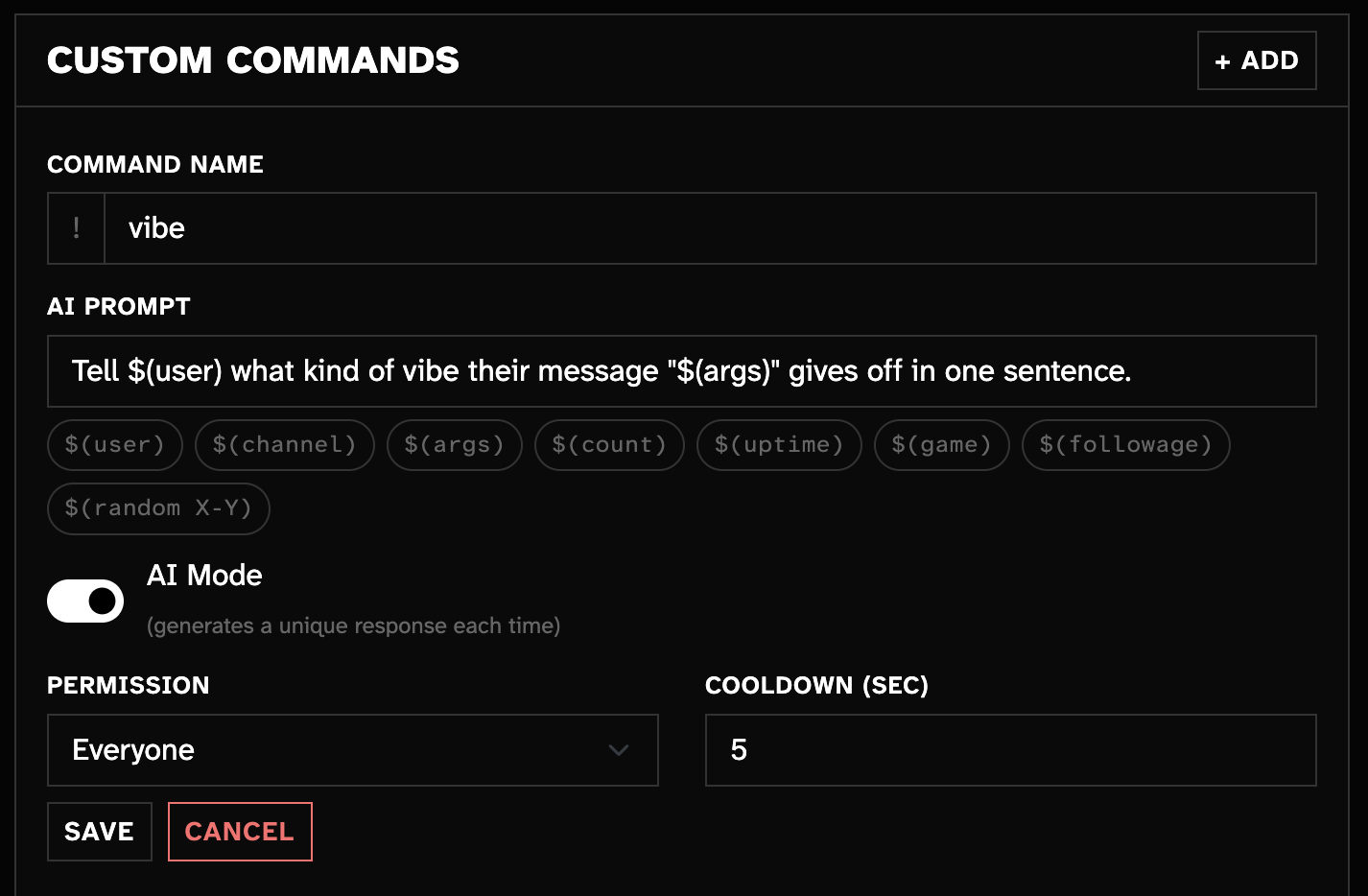
Now when a viewer types !vibe I just ate an entire pizza, the bot might reply:
"WildcatGamer your message gives off deeply respectable goblin energy."
A completely different answer every time.
More Ideas
- !hug — AI Prompt:
Write a short, funny hug message from $(user) to $(1). - !fortune — AI Prompt:
Give $(user) a short fortune cookie message. - !roast — AI Prompt:
Give $(user) a lighthearted roast in one sentence.
All the same response variables you already know — $(user), $(args), $(1), $(game), etc. — work inside AI prompts too.
Switch Existing Commands
Have a text command you want to make dynamic? Edit it in the dashboard and flip on AI Mode — or use !command options greet type=prompt in chat. Switch back anytime.
Chat Alternative
You can also create AI commands directly in chat with !command addai <name> <prompt> if you prefer.
Full docs & examples:
https://docs.wildcat.chat/botcommands.html#custom-commands